
Reference

b899 App — The Lobby in Your Pocket

The b899 mobile experience runs through your browser or a dedicated app build where available — open the lobby, check live tables, and manage your account from any supported handset. Availability depends on local law and eligible regions in Pakistan.

Mobile browser accessAccount wallet on the goDevice compatibility checkAvailability by eligible region
b899 b899 App — The Lobby in Your Pocket
DEVICE COMPATIBILITY CHECK

Which Devices and Browsers Work

Before you rely on the app for live sessions, it is worth checking your device against a few basics. The browser-based lobby works on most modern handsets — here is what to verify on your end.

Method Payout time Speed
Browser Support Chrome and Safari are the two browsers where layout and login perform as expected. Other browsers may load the site but full feature support is not confirmed on all of them. Fast
Screen Layout The mobile layout scales for screens from standard smartphone size upward. Tablet screens will also display the full lobby; the live table view uses a wider card arrangement on larger displays. Fast
Account Requirements You need a verified b899 account before the app or mobile browser session gives you access to deposit, withdraw or place bets. Account setup takes just a few minutes. Medium
Native App Availability A dedicated app build is offered where available for your device and region. Check the download section of your account dashboard to see whether a current build is listed for Pakistan. Medium
Regional Eligibility Mobile access and any native app download are subject to local law and available only in eligible regions. Confirm your eligibility before downloading or funding your account. Slow

Four Things the App Does Differently

The mobile build is not just a resized website. These four features change how you actually use the platform day to day — from the moment you log in to the moment you close the session.

Fingerprint Login

Skip the password every time. Biometric login is available on supported Android and iOS handsets, so you reach the lobby in one tap.

Push Notifications

Get an alert when a PSL cricket market updates or when a live table seat becomes available — without refreshing the page yourself.

Dark Mode Display

Dark mode reduces eye strain during late-night sessions on live baccarat or crash games and switches automatically based on your device setting.

Lobby Preview Offline

The app caches a lightweight lobby preview so you can browse game categories — Baccarat FireStorm, Crash Limitless — even when your signal drops briefly.

b899 Inside the b899 Mobile Experience

Inside the b899 Mobile Experience

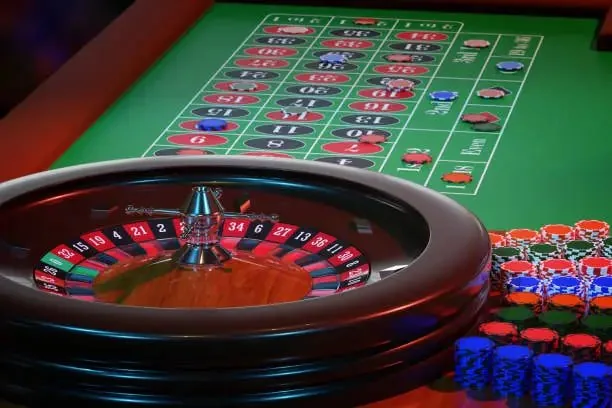
Once you open b899 on your phone, the lobby loads with slots, live casino tables and the sportsbook — all in one view. Crash Limitless and Roulette SpeedBurst are among the titles that load cleanly on a mobile screen without layout breaks. The app build, where it is offered, adds push notifications so you know when a table seat opens or a

cricket market goes live. Quick deposit shortcuts let you move through the funding step without going back to the main menu. Fingerprint login speeds up every return visit so you are in the lobby within seconds of opening the app.
b899 Mobile Access in Three Steps

Mobile Access in Three Steps

No complicated setup is needed to reach b899 on your phone. Start by opening b899 in your mobile browser — Chrome on Android and Safari on iOS both work well with the current site layout. From there, check whether a native app build is currently available for your device by looking at the download section inside your account dashboard; this is where

any verified APK or App Store link will appear if one is live for your region. Once you are signed in, save the site to your home screen for one-tap access on future visits. That shortcut behaves like an app icon and keeps your session preferences intact.

  • Open b899 in your browser — Load the current site in Chrome or Safari on your handset — the mobile layout adjusts automatically to your screen size.
  • Check for a native app build — Go to your account dashboard and look at the download section. Any verified app link for your device and region will be listed there.
  • Sign in securely — Log in with your credentials or use biometric login if your device supports it. Enable push notifications at this step so you do not miss live market updates.
  • Save to your home screen — Use your browser's 'Add to Home Screen' option. The shortcut gives you one-tap lobby access and keeps your account session ready.

Common Questions About the b899 App

These are the questions we get asked most often about mobile access and the app. If something is not covered here, our support channel inside the app can help.

A native Android build is offered where available. Check the download section inside your b899 account dashboard for the current verified link for your region.

The mobile browser version works on iPhone via Safari. Whether a dedicated iOS app build is currently listed depends on your account region — check the dashboard download section.

Yes. Biometric login is available on supported handsets. Enable it from your account security settings after signing in for the first time on your device.

Push notifications are available in the app build. You can turn them on during setup and choose which alerts — live market updates, table availability — you want to receive.

Availability depends on local law and eligible regions. Open your account dashboard on b899 and check the download section — any active build for your region will be listed there.

The app caches a lobby preview so you can see game categories offline. Active game rounds depend on your connection; reconnect quickly and your account history will reflect the completed round.
Reference

b899 App

Service availability depends on eligible regions and local law. Users should check local rules before opening an account.

Access may be available only where local law permits.